How to Make an AI Video of Your Cat Dancing (Photos, Styles and Trends That Work)
Turn one photo of your cat into a dancing video: which photo to use, why human dance routines fail on cats, and two trend formats that work with pets.
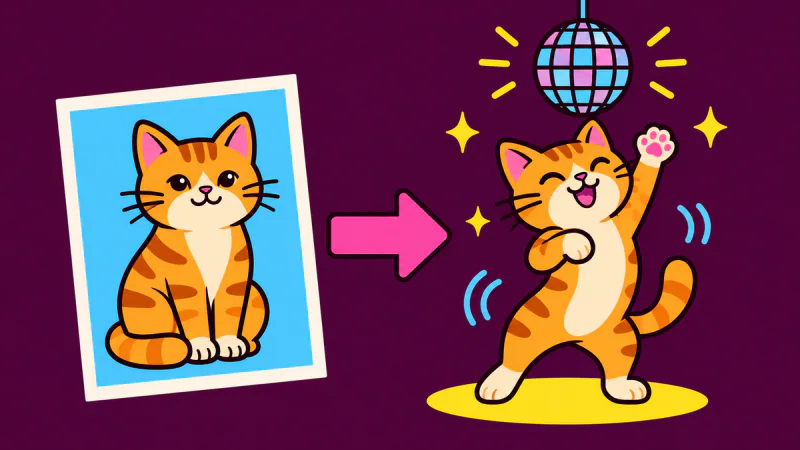
You need one clear photo of your cat with its whole body in the frame, and a dance style made for cats. Upload the photo, pick the style, and the video is usually ready a few minutes later. Your cat never has to do anything except sit for one picture.
The part most guides skip is the style. A routine copied from a human dancer rarely works on a cat, so the choice of style matters as much as the photo.
Why human dance routines don't work on cats
Many "make your photo dance" tools take a dance someone filmed and transfer the moves onto the person in your photo. A cat's body doesn't move like a person's: short front legs, a long back, a tail, and joints that bend in other places. In our tests, copying a human routine onto a cat photo either failed outright, because the tool couldn't find a dancer to move, or came back with rubbery front legs and almost no footwork.
What worked better was describing moves a cat can plausibly make. The cat stands up on its hind legs, sways, bounces and waves its paws, and the AI animates your photo from there. These moves are generated for your cat each time rather than copied, so two videos from the same photo won't match exactly.
That is why the AI cat dance page has its own styles instead of the human dances in the dance library.
Make your cat dance, step by step
- Take or choose a photo. One cat, whole body visible, facing the camera. A normal phone photo is fine.
- Upload it on the AI cat dance page. You need to sign in first.
- Pick a style: Disco Cat, Hip Hop Cat or Belly Dance Cat.
- Check the shape. The video is vertical 9:16 by default for TikTok and Reels. You can keep your photo's original shape instead.
- Make it and download. You see the credit cost before you start. The video is a 10-second 720p MP4 with music and no watermark, and it usually takes a few minutes.
Disco Cat, one of the three cat styles. The cat starts in the room from its
photo.
The photo that dances best
Your photo becomes the first frame of the video, and the AI has to guess anything it can't see. These details decide most of the result:
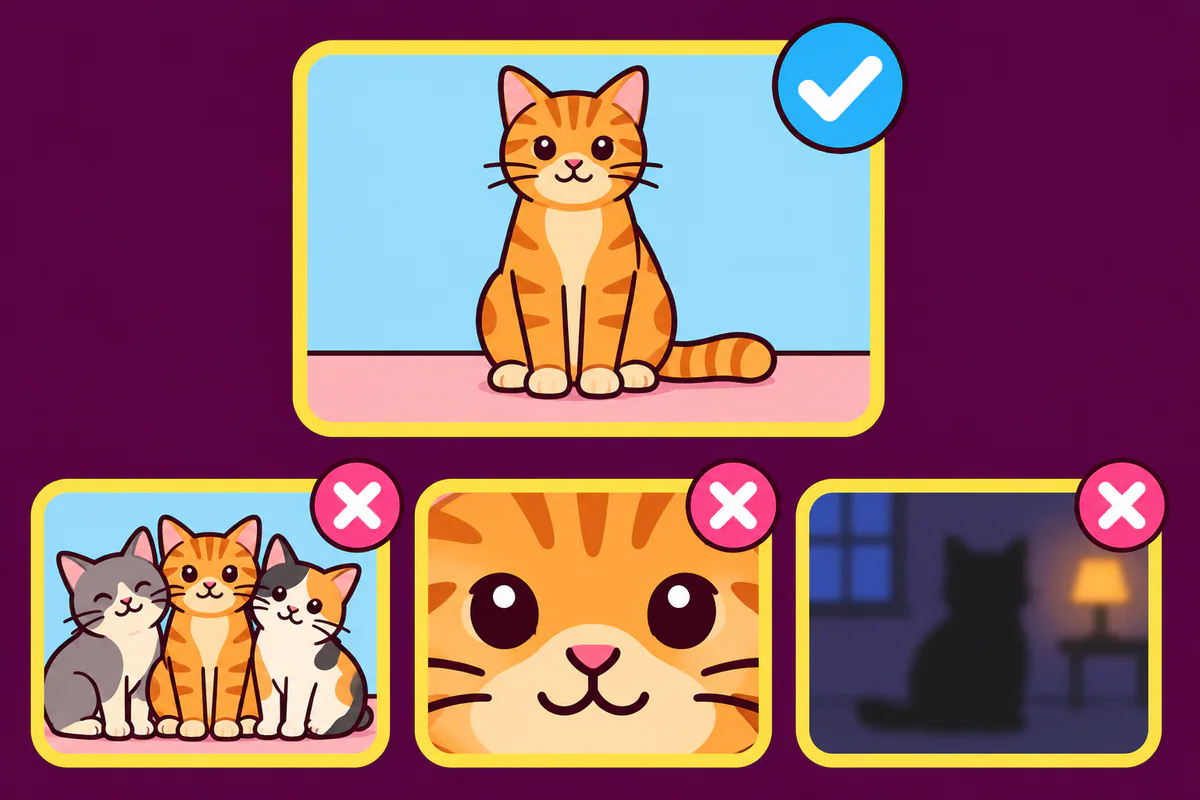
- The whole cat in frame. Ears, paws and tail included. When the tail or paws are cut off, they tend to come out strange.
- One cat per photo. Each video animates one cat. If you have two cats, use the two-pet format further down.
- At your cat's eye level. Crouch down instead of shooting from above, and wait until the face points at the camera.
- A simple background. A plain floor or wall keeps the AI's attention on the cat.
- Sharp and well lit. Daylight beats a dim room. Take a few shots and upload the sharpest.
Sitting or lying down is fine. The cat gets up and starts dancing in the first second, and in our tests a photo of a lying cat worked too.
Which cat style to pick
- Disco Cat adds a mirror ball and colored lights to your room. The most party-like of the three.
- Hip Hop Cat keeps the scene as it is and has the cat bounce low on its hind legs.
- Belly Dance Cat is slower, with the cat swaying its hips and front paws.
There were more styles in our tests. A twerking style was dropped because the cat barely moved, and poses where a paw points straight at the camera left odd ring-shaped marks, so the current styles avoid them.
Two trend formats that work with cats
The cat styles keep your room. These two build a new scene around your cat instead, so the background of your photo doesn't stay.
Car Alarm Dance. Your cat stands next to a parked red car at night, taps it, sets off the alarm and dances to the siren. It needs one photo, and you pick Car Alarm Cat on the car alarm dance page. The alarm sound is generated with the video, so it varies a little each time.
Smalltown Boy with two pets. Two pets take turns screaming silently into a wide-angle lens, swap places, then dance side by side. It takes two photos, one per pet, so your cat can pair with another cat or with a dog. Use Two Pets on the Smalltown Boy AI page. The video has an original 80s-style beat rather than the actual song, which you can add when you post.
A grey cat and a French bulldog made with Two Pets. The first photo screams
first.
In our tests of the two-pet format, a pet sometimes dropped onto all fours or turned its back for a moment during the swap. If that happens, a second try or a different photo usually helps.
What to do when it looks wrong
- It doesn't look like your cat: use a sharper, brighter photo with the face turned to the camera.
- Paws or tail look strange: use a photo where they are fully in the frame.
- The cat drops onto four legs or turns away: generate again or try another photo. Each try uses credits.
- The photo was refused: it failed the automatic safety check or the size and shape limits. Choose another one.
- The video failed: the credits go back to your balance automatically. In the two trend formats, which make a scene image first, the 10 credits for that image stay used if only the video step fails.
Results vary because every video is generated fresh. If one photo keeps giving a bad result, changing the photo helps more than trying the same one again.
What it costs
These are the prices as of November 2026. See the pricing page for current ones.
- A cat style video (10 seconds, 720p) costs 150 credits.
- A Car Alarm Cat video (10 seconds) also costs 150 credits.
- A Smalltown Boy video with two pets (12 seconds) costs 180 credits.
- The smallest one-time pack is $9.99 for 300 credits, and pack credits never expire.
Browsing the examples is free, but making a video uses credits, and new accounts don't include free ones.
What this won't do
These formats are short dance clips made from a photo. If you want a talking cat, a cat cooking in a kitchen or a story told over several scenes, you need a text-to-video tool where you write the scene yourself, and usually a video editor to join the clips. You also can't choose the song here: swap the sound in an editor or pick it in TikTok or Instagram when you post.
Got a dog as well? The AI dog dance page has styles made for dogs.
Before you post it
TikTok's community guidelines ask creators to label AI-generated content that shows realistic-looking scenes or people, and a realistic video of your cat counts. Turn on the AI label when you upload.
Ready to try it? Start on the AI cat dance page.