How to Make an AI Dance Video From a Photo
Make a photo dance in four steps: choose the right picture, pick a routine and export a vertical video. Plus what to fix when the result looks wrong.
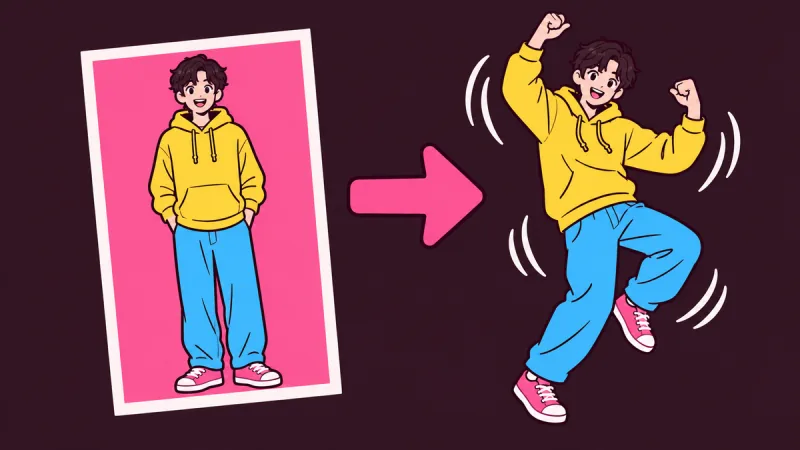
To make an AI dance video, you need one clear photo of one person and a dance to apply to it. The AI moves the person through the routine, and you download a video a few minutes later. You do not have to dance, film anything or edit.
The steps are simple. What decides whether the result looks convincing or strange is mostly the photo, so that is where this guide spends its time. The examples use AI Dance Generator, but most tools follow the same pattern.
Make a picture dance in four steps
- Choose a photo. One person, whole body in frame, facing the camera. A normal phone photo is fine.
- Pick a dance. Browse the dance library and watch the examples. Super Funk is a TikTok trend and Jingle Bell Rock is the Christmas one.
- Set the quality and shape. Choose 720p or 1080p. Keep the 9:16 crop for TikTok and Reels, or keep your photo's original shape.
- Generate and download. It usually takes two to four minutes. You can leave the page; the video waits in My generations.
The photo that dances best
The AI can only move what it can see. Anything hidden has to be guessed, and guesses are where hands melt and feet slide. These details make the biggest difference:
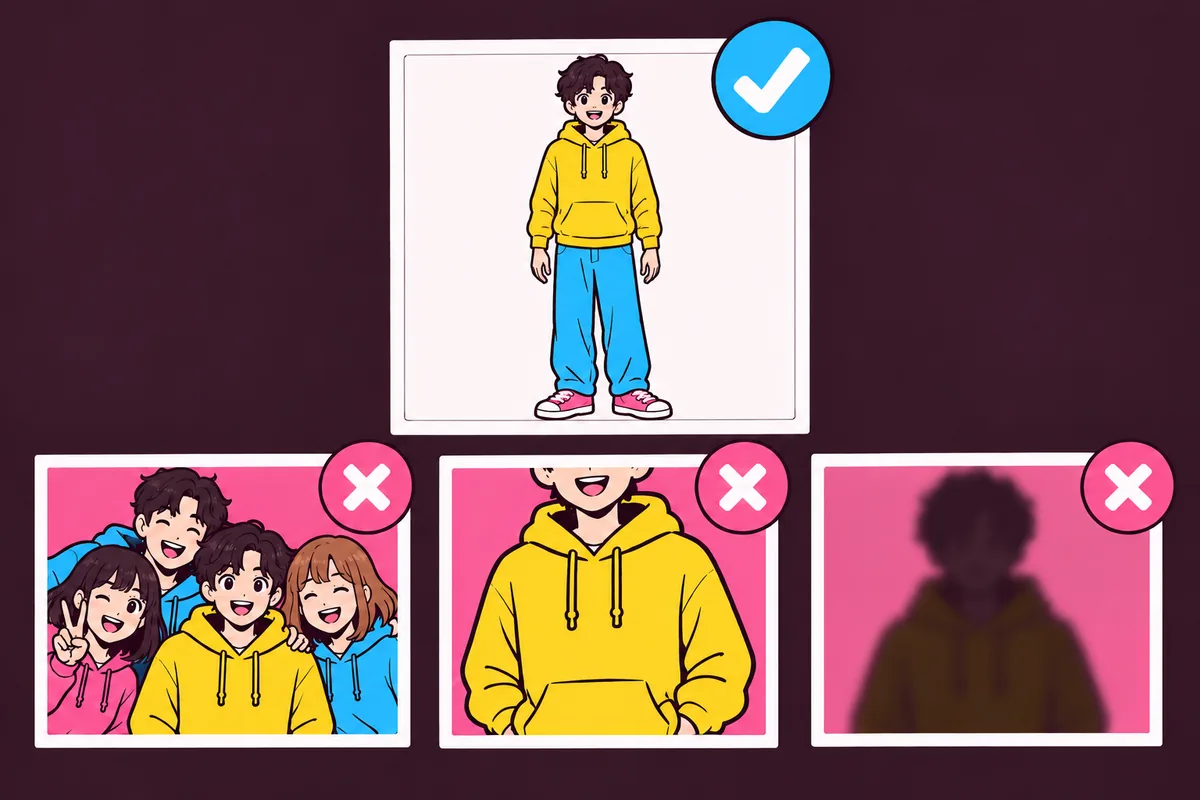
- One person. Each video animates one person, so group photos do not work.
- Head to feet in frame. Cropped feet are the most common cause of odd footwork. An upper-body photo can still work, with less natural legs.
- Arms away from the body. Hands tucked in pockets or behind the back give the AI less to work with.
- Facing the camera, standing. Side-on and seated poses are harder.
- Sharp and well lit. Daylight beats a dim room. Heavy filters and beauty edits can make the face drift.
What to do when it looks wrong
- Hands or arms look strange: try a photo where the arms are clearly separate from the body.
- Feet slide or disappear: use a photo that shows the feet and a little floor around them.
- The face looks like someone else: use a brighter, sharper photo with the face turned toward the camera.
- The important part got cropped: adjust the crop, or keep the original shape.
- The photo was refused: it failed the automatic safety check or the size and shape limits, so choose another one.
- The video failed: the credits go back to your balance automatically, so you can try a different photo.
Results vary because the video is AI-generated, and it may not match the example exactly. If one photo keeps giving a bad result, changing the photo usually helps more than trying again with the same one.
Can you make people, kids, pets or characters dance?
- Anime and cartoon characters: yes, if the whole figure is visible and upright.
- Your own kids: only if you are their parent or guardian.
- Friends and coworkers: only with their permission. Photos of public figures are not allowed. See the Terms of Service.
- Cats: the human routines often fail on animals, so use the AI cat dance page, which has styles made for cats.
- Dogs: there is no dog style yet, and dog photos often can't be animated with the human routines.
What it costs
These are the prices as of November 2026. See the pricing page for the current ones.
- A 15-second dance costs 225 credits at 720p or 315 at 1080p.
- The smallest one-time pack is $9.99 for 300 credits, and those credits never expire.
- The smallest monthly plan is $9.99 for 400 credits a month.
Browsing the examples is free, but making a video uses credits, and new accounts do not include free ones. If free is what you need, read is there a free AI dance generator? first.
Before you post it
TikTok's community guidelines require creators to label AI-generated content that shows realistic-looking people, and unlabeled posts may be removed or restricted. Add the AI label when you upload, and pick your sound there too.
Got a photo in mind? Start on the home page.