One photo · 10 seconds · ready to send

AI birthday video that makes them dance

Upload one photo of the birthday person. The AI puts them at their own party, in a party hat or next to a birthday cake, and makes a funny 10-second birthday dance video with their face and outfit.
1 · Pick a birthday style
2 · Your photo
Party Hat Dance · 480p · 150 credits · 10s
Party Hat DanceThe photo used for this video
What it is

What is an AI birthday dance video?

It's a short, funny happy birthday video where the birthday person dances at their own party. You don't film anything or plan a skit: you upload one photo, and the AI birthday video maker does the rest.

First the AI builds a party scene from the photo, with balloons, streamers and a party hat or a cake with candles. Then it turns that scene into a 10-second vertical happy birthday dance video. It's a personalized birthday video made with their own face and outfit, not a cartoon body with a face pasted on.

Styles

Two birthday dance video styles

Pick the one that fits the moment. Both use one person and make a 10-second birthday dance video.

Party Hat Dance

They wear a shiny party hat and dance under the balloons: bounces, claps, a shimmy and a sway as confetti falls.

Birthday Cake Dance

They dance next to a birthday cake with lit candles, make a wish and blow the candles out at the end.

How it works

How to make a birthday video with AI

Upload one photo

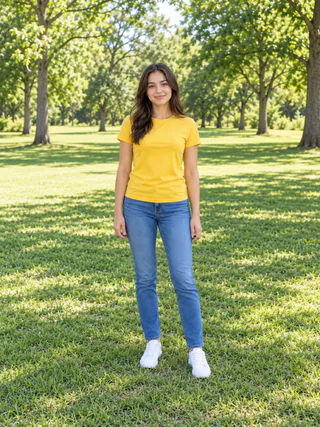
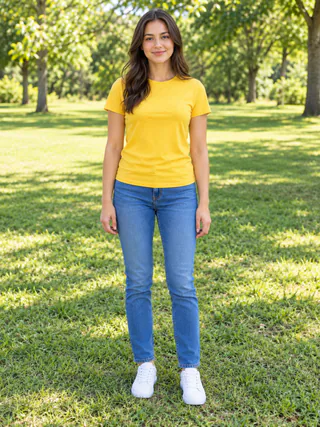
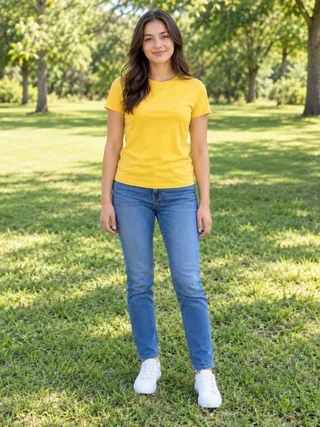
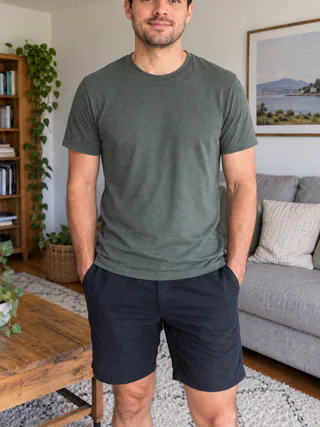
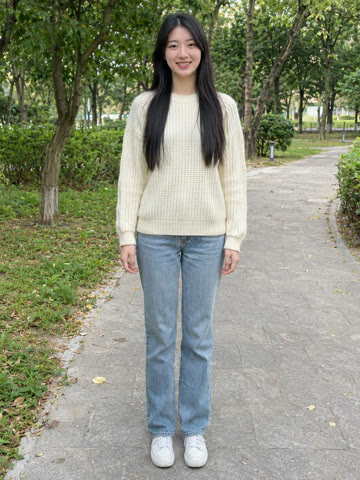
Use a JPG or PNG of the birthday person. A normal phone photo is fine: one person, facing the camera, works best.

Pick a birthday style

Choose Party Hat Dance or Birthday Cake Dance. You see the credit cost before you start.

Download and send

Your 10-second vertical MP4 is usually ready in a few minutes. It's a happy birthday video to send in the group chat or to post on their big day.

Photo tips

The best photo for an AI birthday video

The AI rebuilds the birthday person in the party scene from your photo, so a clear, sharp shot helps the video look like them.

Works best

The whole body in frame
Facing the camera
Facing the camera
Just one person
Just one person

Avoid

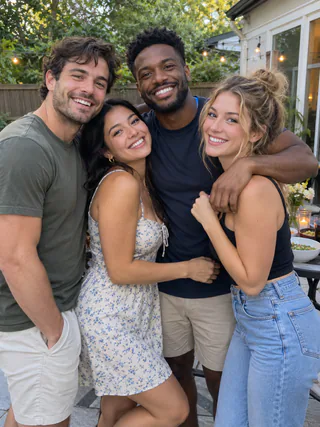
Group photos
Group photos
Head or feet cut off
No person in the photo
Pricing

How much does an AI birthday video cost?

One 10-second video

150 credits at 480p

Smallest credit pack

$9.99 for 300 credits, enough for 2 birthday videos. Pack credits never expire.

What's included

A 10-second vertical 480p MP4 with an instrumental birthday tune and no watermark.

FAQ

AI birthday video FAQ

What people ask before making their first AI birthday video.

Here it's a 10-second video of the birthday person dancing at a party, made by AI from one photo. Pick Party Hat Dance or Birthday Cake Dance, and the AI makes the scene, the props and the moves.
A friend, your sister, your partner, a coworker: anyone whose photo you have and may use. One person per video. Photos of children are allowed only if you are their parent or guardian, and photos of other adults only with their permission.
That's what it's for. Seeing someone they know dance in a party hat, or blow out the candles on a cake, usually gets a laugh. It works as a funny birthday video message in a group chat or a DM.
The AI keeps their face, hair, body and outfit from the photo, then adds the party. A sharp photo that faces the camera gives the closest likeness. Results can vary, so watch the video before you send it.
No. The AI uses your photo for the look of the person, then places them in a living room decorated for a birthday party.
Yes. Each video comes with an instrumental birthday tune made by the AI, which is told not to add any singing. It sounds a little different every time. You can swap the sound in any video editor or when you post.
Not in the video itself. The AI is told to leave text out, because AI video often gets letters wrong, though a decoration can still show a few stray letters now and then. Add their name in the message you send with it, or put a caption on it in TikTok, Instagram or any video editor.
You download a regular MP4 file with no watermark, so you can send it on WhatsApp, iMessage or email, or post it on Instagram and TikTok.
A 10-second 480p video costs 150 credits. Credits come from a monthly or yearly plan or a one-time pack, and you see the cost before you start. Your credit history shows it as two entries: 10 for the scene image and 140 for the video.
No. Browsing the page is free and needs no sign-up, but making a video uses credits, and new accounts don't include free ones.
If the scene image fails, all 150 credits go back. If the video step fails, 140 go back, because the image was already made. You can try again right away.
Not on this page yet: it's made for people. For a pet, try the AI cat dance or AI dog dance pages.
No. There is no app to install: it runs in the browser on your phone or computer. On a computer, you can scan a QR code to send a photo from your phone.
Uploaded photos are deleted automatically 7 days after upload. Finished videos stay available for 30 days, so download anything you want to keep.
Ready when you are

One photo. Party ready.

Upload a photo of the birthday person and get a funny birthday video in a few minutes.

Make a birthday video